Samsung P9 Express 256GB: The Right microSD Only If Your Device Speaks Express

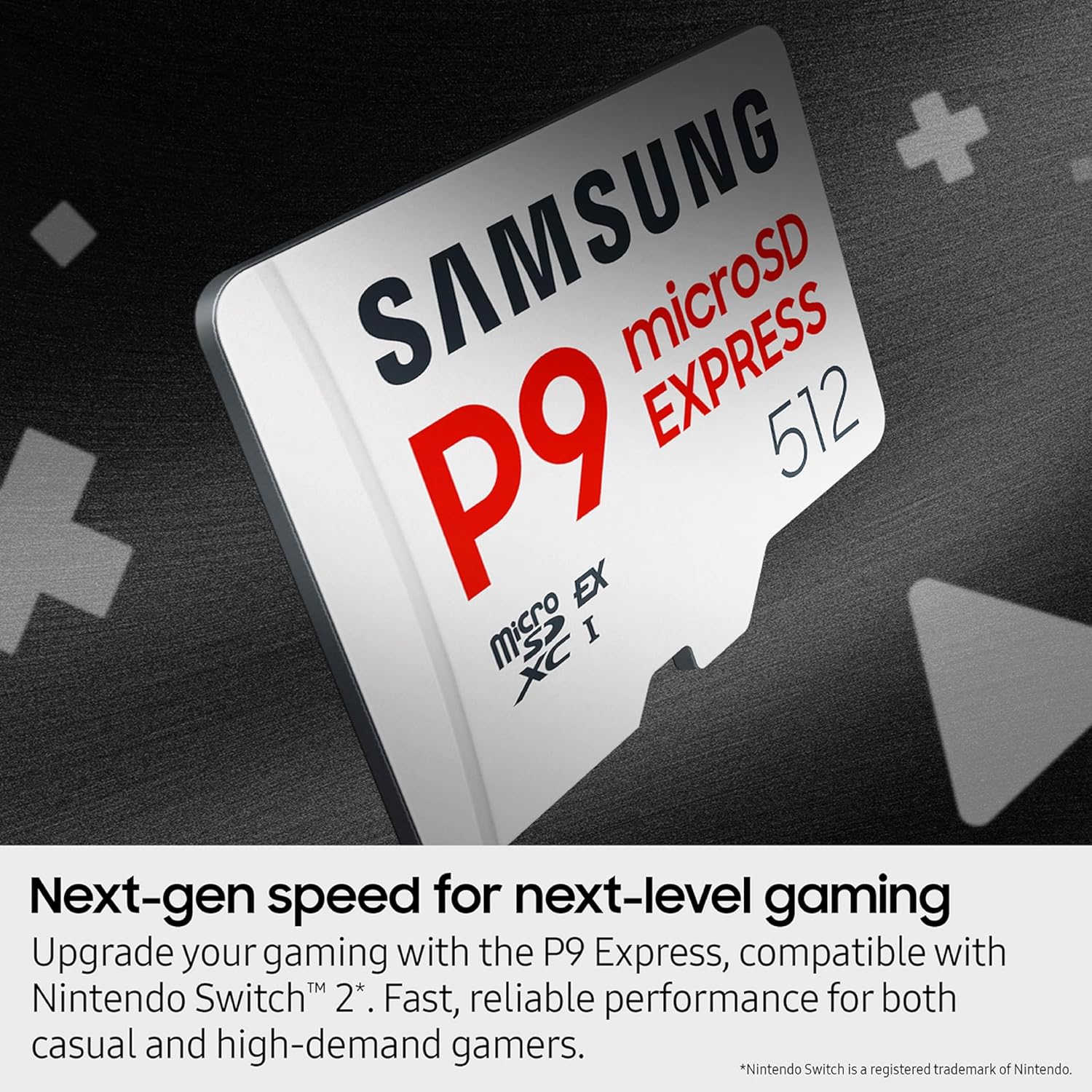
You're three games into your new Switch 2 and the "storage almost full" banner shows up mid-download. Or you're staring at a 4K clip that stutters on playback because the card under it can't keep up. Storage isn't the interesting part of a setup until it's the thing standing between you and the thing you actually want to do. And microSD cards have quietly split into two camps that look identical on the shelf and behave very differently in the slot.
The Samsung P9 Express microSD Express Card (256GB) sits squarely in the newer, faster camp. Whether that's worth it to you depends almost entirely on what you're plugging it into. So start here.
Which Camp Are You In?
| You are... | What matters for you | Verdict |
| A Switch 2 owner | The Switch 2 reads microSD Express natively, so you actually feel the 800 MB/s. Faster loads, faster installs. | This is the card the standard was built for. Buy with confidence. |
| A camera, drone, or Steam Deck shooter | Depends on whether your device supports microSD Express. Some next-gen bodies do. Most current cameras and drones still run UHS-I. | Check your device spec first. If it's UHS-I only, you're paying for speed you can't use. |
| A general phone or tablet user | Almost no phones or tablets read Express speeds. The card drops back to normal UHS-I speed in those slots. | It'll work fine, but a regular card does the same job for less. |
Read this before you buy. microSD Express is a newer, faster standard than the UHS-I cards most people already own. The 800 MB/s speed only shows up on devices that actually support Express, like the Switch 2. Drop this card into an older phone, tablet, or camera that doesn't speak Express and it falls back to ordinary microSD speed. The card still works. You just paid for a top tier you never reach.
What You're Actually Getting
This is a 256GB microSDXC card built to the microSD Express standard, rated up to 800 MB/s sequential read. Samsung lists it as roughly 4x the read speed of their standard UHS-I cards (their figure, measured on a PCIe test board). It's pre-formatted for the Switch 2, comes with the protections you'd expect from a Samsung memory card (water, drops, X-rays, magnets, temperature swings), and carries a limited warranty. It stays backward compatible, so it physically fits and runs in any microSD slot. It just runs at that slot's speed, not the card's ceiling.
For the Switch 2 crowd, the practical headline is simpler. After the console formats it, you're left with around 238GB of usable space, which is on par with other 256GB Express cards.
Where the Speed Earns Its Keep
On a device that supports Express, the difference is the kind you notice without a stopwatch. Game loads shrink, installs and updates finish quicker, and jumping between titles feels snappier. One reviewer put it plainly after a year of skepticism about whether the new standard was real.
"The performance jump is immediately noticeable, especially compared to standard microSD cards. Read and write speeds are incredibly fast."
The Switch 2 also runs warm when docked, and reviewers report the card handling that heat without dropping out or throttling itself into a problem. Install is the usual story: push it in, follow the on-screen prompts, done.
The Honest Caveat
Two things to be straight about.
First, the speed is conditional. If your device doesn't support microSD Express, none of the 800 MB/s reaches you. That's not a defect, it's how the standard works, but plenty of buyers won't realize their phone or older camera can't use it. For those people, an Express card is money spent on a number they'll never see.
Second, 256GB fills up faster than you'd think on a modern console. Switch 2 games are large, and a single title like Final Fantasy VII Rebirth can eat around 100GB on its own. One reviewer who does a lot of digital purchases noted it may be smarter to size up to 512GB if your library is going to grow. If you mostly play a few games at a time, 256GB is plenty. If you're a digital-everything buyer, plan ahead.
Review Base at a Glance
4.8 stars across 1,729 ratings, and it's an Amazon's Choice pick in microSD cards. The reviews skew heavily toward Switch 2 owners, and that's where the praise is most consistent: easy install, fast in real use, solid build, and a genuine storage boost. The recurring gripe isn't the card itself, it's capacity (big games fill it) and a few buyers feeling the Express premium. Worth knowing the rating pool is dominated by one use case, so if you're buying for a camera or drone, you're slightly off the beaten path of these reviews.
Is This the Right microSD Card for You?
You'll love it if you are...
- 🎮 A Switch 2 owner who wants the faster loads the console was actually designed to use
- ⚡ A shooter on a confirmed microSD Express device who needs real read speed for high-res footage or rapid transfers
- 🛡️ Someone who wants a name-brand card with the full set of drop, water, and temperature protections
- 🎁 A gift buyer pairing it with a new Switch 2, where it's close to a must-have add-on
Skip it if you need...
- Storage for a phone, tablet, or older camera that doesn't support microSD Express, where you'll never reach the rated speed
- Maximum capacity for a large digital game library, where 512GB is the smarter buy
- The cheapest card that simply stores files, since a standard UHS-I card does that for less
This card comes pre-formatted for the Switch 2, so most users are ready to go after the console applies a quick update on first insert. Amazon's standard 30-day return window applies, and Samsung backs it with a limited warranty.
As an Amazon Associate I earn from qualifying purchases. This comes at no extra cost to you.
You should also read:
The DWVO 8x4 Metal Shed: An Honest Look at the Weekend Build That Clears Your Garage
Picture the spot in your life where stuff goes to die: That's the exact gap a small outdoor shed is built to close. You don't need a barn. You need a dry, lockable box in the corner of the yard that swallows the overflow and…
Continue reading...The grab-and-go speaker that survives the pool, the shower, and your kids
Think about the moments a small speaker actually has to live through: That's the job. Not an audiophile listening room, just real days where a speaker needs to be loud enough, tough enough, and small enough to forget about. We spent time living with the…
Continue reading...Govee Envisual TV Backlight T2: Great Color Spill, If Your Setup Lets It See Straight
You know the scene. Lights off, phone face-down, actual movie night. And the room looks fine, but the wall behind the TV is a black hole that pulls your eyes out of whatever's on screen. The whole point of a TV backlight is closing that…
Continue reading...