Govee Envisual TV Backlight T2: Great Color Spill, If Your Setup Lets It See Straight

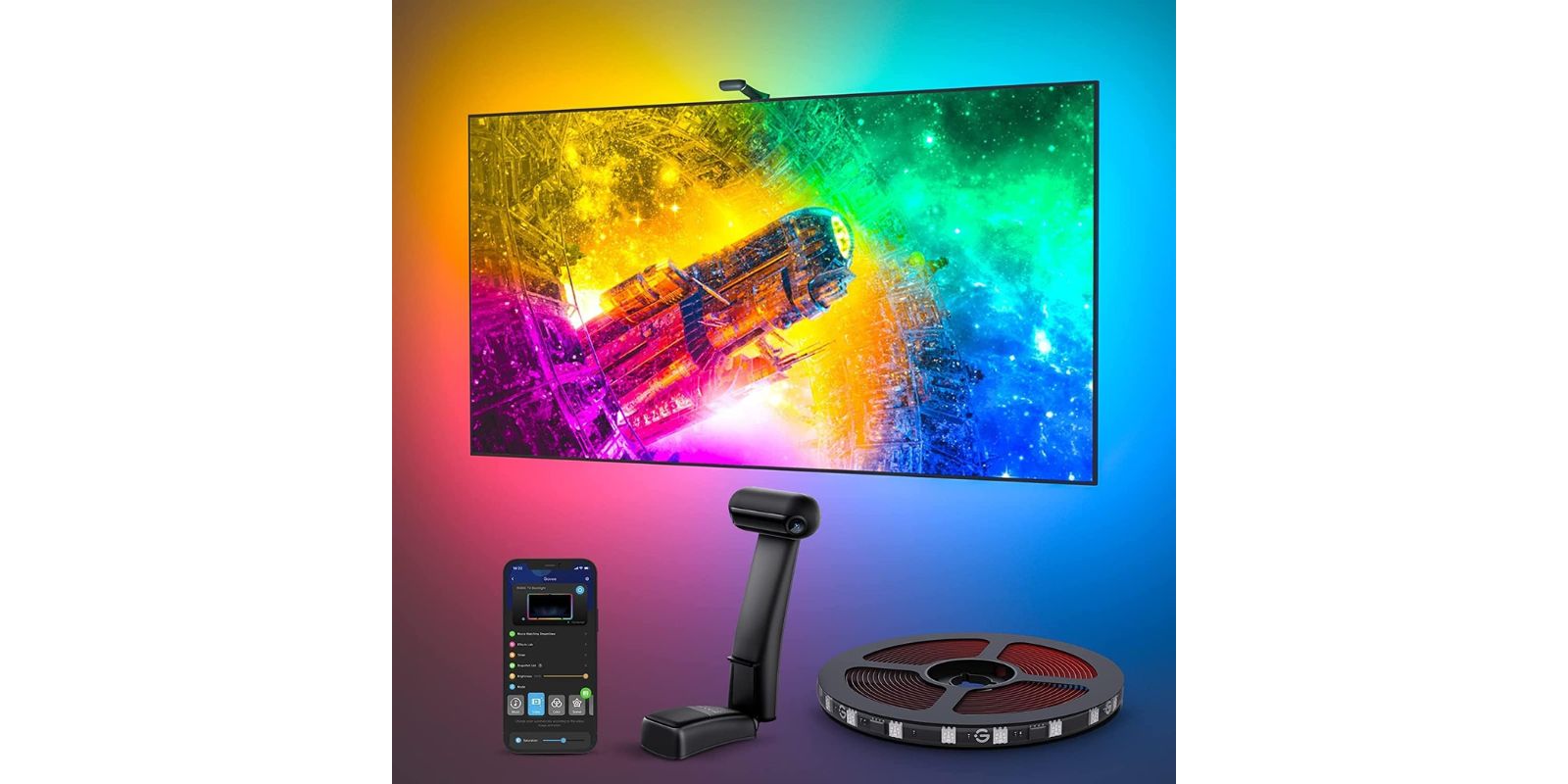
You know the scene. Lights off, phone face-down, actual movie night. And the room looks fine, but the wall behind the TV is a black hole that pulls your eyes out of whatever's on screen. The whole point of a TV backlight is closing that gap so the picture doesn't just end at the bezel. It keeps going.
The trick is the colour-matching. A generic RGB strip behind your TV is just a strip of colour-changing fairy lights. What the Govee Envisual T2 does differently is watch the screen with two little cameras and try to throw matching colour onto the wall in real time. When it works, it's the difference between "decorative LEDs" and "my room extends into the scene".
The "when it works" part is where we need to have a chat.
Who This Is Actually For
Before anything else, check yourself against these three scenarios. The T2 is worth it for the first two and not worth it for the third.
- You've got a 55 to 65 inch TV, it sits against a mostly plain wall, and your TV stand isn't a mirror-finish glass shelf. You want the room to breathe with what you're watching. You're the target buyer.
- You're already in the Govee ecosystem. You've got a floor lamp, a light bar, maybe some Hex panels. You want DreamView mode so the whole room syncs to the screen, not just one strip. This is where the T2 really sings.
- You've got a glossy media unit, mirrored shelving, or the TV is sandwiched between a forest of consoles, cable clutter, and framed photos. Stop here. Keep reading the caveat section, but know going in that your colour accuracy is going to fight you.
What You're Actually Getting
One 11.8ft RGBIC strip (cut into four corner sections with pre-wired right angles, which is a much better install than a single strip bent at 90 degrees), a small gravity-mounted module that clips over the top edge of the TV and holds the two cameras, the control box with Wi-Fi and Bluetooth, the power brick, alcohol wipes for surface prep, and adhesive pads for the cable runs.
The strip runs 60 LEDs per metre with double rows of beads. That's denser than Govee's cheaper Lite model (30 LEDs/m), and it's what makes the light feel like a continuous wash instead of a row of dots on the wall. The cameras read the corners of the screen and send colour data down the strip. Works with Alexa through the Govee Home app. No HDMI box required, no HDR sync, no captured video signal. The cameras are the whole sensor story.
There's also a 16.4ft version for 75 to 85 inch TVs if you're outside the 55 to 65 band. Same brains, longer strip.
Setting It Up Without Swearing
The install itself is easy. The calibration is where people lose an hour.
- Clean the back edge of the TV with the alcohol wipe. Let it dry. Don't skip this, the adhesive only gets one shot.
- Peel and stick the four pre-cut strip sections, top first. The built-in corner wires mean you don't fight a single strip around the bends.
- Clip the camera module over the top of the TV. It's weighted, not adhesive, which is the whole point if you ever change TVs.
- Plug the strip and camera cables into the control box, stick the box behind the TV, power up.
- Open the Govee Home app, pair over Bluetooth, then hand off to Wi-Fi for the rest.
- Calibration time. The app shows a colour card on your TV and the cameras read eight reference points. Get this wrong and every colour from now on is off.
Warm Corners tip: Govee buries this in their product notes but it's the single biggest fix for bad colour-matching. During calibration, either plug your phone into a hotspot or stand closer to the router. If the calibration screen loads slowly, the cameras sample a half-rendered image and lock in wrong reference points. Also, kill any direct light hitting the TV from a lamp or window. The cameras can't tell your reading lamp from the picture.
Where It Actually Impresses
When it's dialled in and running, the colour spill feels connected to the screen in a way a standard HDMI sync box sometimes doesn't, because it's reading the actual pixels near each corner, not the average colour of the frame. A sunset on screen gives you warm orange in the top corners and deeper blue on the bottom at the same time. A racing game with neon track lights throws the actual lane colour onto the wall behind the matching corner.
"Setting up a TV in this house is a routine that always goes like this: unbox, inspect, mount, install Govee backlight."
DreamView is the feature people upgrade for. If you already own a Govee floor lamp or a set of Hex panels, the T2 becomes the brain, and the whole room pulses with the screen. One reviewer runs almost twenty Govee devices off a single media room and treats the T2 as the conductor. That's the version of this product that justifies the price.
The Honest Caveat (Read This Before You Buy)
The cameras read reflected light. If anything shiny is under or in front of your TV, the cameras will include that in the colour-match. That means glossy TV stands, glass shelving, or a mirrored wall will throw the whole tracking off, sometimes badly.
An Australian owner spelled it out cleanly: solid brightness, fun lighting, no issue with the strip itself, but "the camera reflects off [the glossy TV bench] and confuses the tracking, so it doesn't pick up the colours properly." Their fix was to stop using the camera mode entirely and run the strip as a static-colour backlight. Which works, but it also means the whole reason you paid for the T2 over a cheaper non-camera strip is now switched off.
The other honest note: the T2 sits in an awkward price spot in Govee's own lineup. You'll see owners call it overpriced, and they aren't wrong in isolation. The Lite model does single-camera colour-matching for a lot less. The Pro model does triple-camera plus HDR for a bit more. The T2's case is specifically the dual cameras (better corner accuracy than Lite) with the denser double-row strip (better light spread than either), without the HDR and fish-eye features you may not need. If that middle ground isn't your middle ground, the sibling model is probably a better fit.
T2 vs The Rest of the Govee Family
| Model | Cameras | Strip density | HDR sensor | Best for |
|---|---|---|---|---|
| Backlight 3 Lite | Single | 30 LEDs/m | No | First-time buyer, tight budget, simple wall behind TV |
| Envisual T2 | Dual | 60 LEDs/m, double row | No | Better corner accuracy, denser wash, clean non-reflective setup |
| Backlight 3 Pro | Triple | 75 LEDs/m | Yes | HDR TVs, black-bar handling, the full-fat experience |
None of these handle a glossy surface gracefully. The reflection problem isn't a T2 problem, it's a camera-colour-matching category problem. More cameras help, but they don't fix a mirror.
Is This the Right TV Backlight for You?
You'll love it if you are...
- 🎬 Someone with a 55 to 65 inch TV against a plain, matte wall who wants ambient-lit movie nights without buying a dedicated home-theatre install.
- 🏠 Already deep in Govee's ecosystem and want DreamView to sync your floor lamp, light bars, and panels to what's on screen.
- 🎮 A gamer who wants the RGB wall wash to match whatever's in the corner of the screen in real time, not a generic rainbow cycle.
- 🎁 Buying a smart-home gift for someone who already has the TV but wouldn't shop for lights themselves.
Skip it if you need...
- Accurate colour-matching with a glossy TV bench, glass shelving, or any reflective surface in the camera's line of sight. That's the hard limitation.
- HDR sync or black-bar detection for letterboxed movies. You want the Pro for that.
- A set-and-forget install. Calibration is a one-time fuss but it is a fuss, and you may need to recalibrate if you rearrange the room.
- The cheapest option. The Lite does 80% of this for meaningfully less, if single-camera accuracy is enough.
Review Base at a Glance
4.5 stars across 6,624 ratings, with 77% five-star and 4% one-star. Customers mention quality, ease of installation, immersive experience, and appearance in that order. Colour accuracy and value for money are the two mixed categories, which lines up exactly with the caveat above. This isn't a "product doesn't work" complaint pattern. It's a "product works brilliantly when your room cooperates" pattern.
Govee offers a 30-day return window through Amazon plus a manufacturer warranty. If calibration is fighting you after a solid hour, send it back rather than living with a compromise.
As an Amazon Associate I earn from qualifying purchases. This comes at no extra cost to you.
You should also read:
The DWVO 8x4 Metal Shed: An Honest Look at the Weekend Build That Clears Your Garage
Picture the spot in your life where stuff goes to die: That's the exact gap a small outdoor shed is built to close. You don't need a barn. You need a dry, lockable box in the corner of the yard that swallows the overflow and…
Continue reading...Samsung P9 Express 256GB: The Right microSD Only If Your Device Speaks Express
You're three games into your new Switch 2 and the "storage almost full" banner shows up mid-download. Or you're staring at a 4K clip that stutters on playback because the card under it can't keep up. Storage isn't the interesting part of a setup until…
Continue reading...GE 6-Outlet Power Strip 2-Pack: More Outlets, Not a Surge Protector
There's the outlet behind the couch you can't reach, feeding a lamp, a phone charger, and the thing that charges the other thing. There's the tangle under the desk where the one free socket has been carrying three plugs through a daisy-chain of adapters since…
Continue reading...